Export a ride from Strava
Step by step
- On the strava.com website — the mobile app cannot export — open the ride.
- Click the three dots in the left column, then “Exporter l’original”.
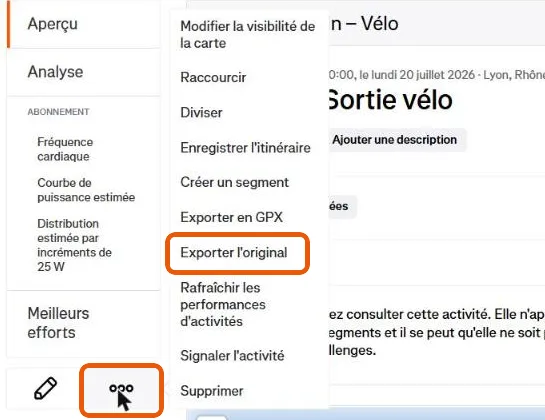
You get the file exactly as your GPS sent it. If the ride was recorded by a Garmin or a Wahoo, exporting from there works just as well.
Then
Open your story in Mapito, go to the Stages tab and drop the file there. Several files at once if your trip lasted several days: one per stage.