Export a ride from Garmin
Step by step
- On the connect.garmin.com website, open the ride.
- Click the gear at the top right, then “Exporter en GPX”.
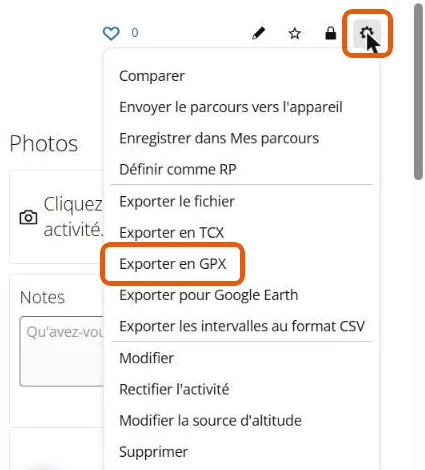
Avoid “Exporter le fichier”: it delivers a .zip archive, which Mapito does not open. The GPX holds the same points and the same altitude.
Then
Open your story in Mapito, go to the Stages tab and drop the file there. Several files at once if your trip lasted several days: one per stage.