Export a ride from Komoot
Step by step
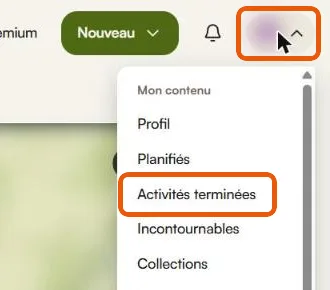
- Open your profile menu at the top right, then “Activités terminées”.
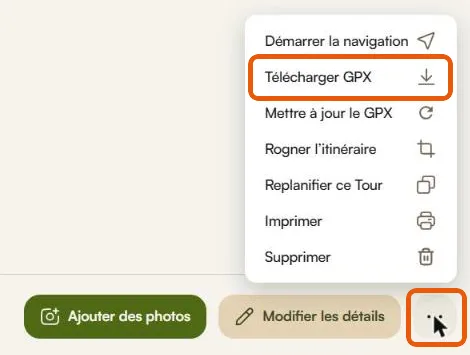
- Open the ride, click the three dots next to “Modifier les détails”, then “Télécharger GPX”.
Only completed activities carry the time of your ride. A planned route has none, so no photo could be placed by its time. If the ride was synced from a Garmin or a Wahoo, export it from there: Komoot resamples the track and loses part of the elevation.
Then
Open your story in Mapito, go to the Stages tab and drop the file there. Several files at once if your trip lasted several days: one per stage.